For indie app makers, creators and small studios on a Mac
Branded videos for app makers and creators, from 1 line in Claude Code.
Useful Studio is a skill pack for Claude Code. It writes the story, animates every frame and checks its own work. You get a finished launch film, reel, explainer or b-roll as MP4s in 16:9 and 9:16, 15 to 90 seconds each. No timeline. No editing skills.
Agencies quote $3,000 for 30 seconds of motion design.
So most launches ship with a screenshot.
You type 1 line and it does the studio work.
Every command asks a few plain questions, then runs on its own. Most videos take 10 to 40 minutes from prompt to finished file while you do something else.
Learns your brand
/studio-brandsaves your name, logo, colours, fonts and tone once. Every video after that is on-brand.Writes the story
It turns your product into a storyboard with a hook, a reveal and a clear ending. One idea on screen at a time.
Animates every frame
Damped springs, 12 signature moves, drawn illustrations and your real screenshots. Music cut to the beat.
Checks its own work
It watches the film, scores it on 7 things and fixes the weakest until every score is 8 or more.
A strict critic is built in.
A 9 or 10 means a professional motion designer would ship it. Automatic checks catch text that moves while you read it, icons 2 px off and lines that leave the screen too soon.
Out of 10. The thin line marks 8, the bar every film must clear.
11 videos, every one made by a real command run.
Start to finish, no hand edits. Tap any video to watch it with sound.
Plotwren, Leafkin and Kettlewise are demo brands made up for this gallery. Run times are from a 4-core cloud machine. A recent Mac is faster.
Everything in the box.
Commands you type in Claude Code. Each one ends with finished files in your Movies folder.
/studio-launchA 25 to 35 second launch film for your app or product, with your screenshots inside device frames.
/studio-reel15 to 30 second vertical reels and Shorts that loop cleanly.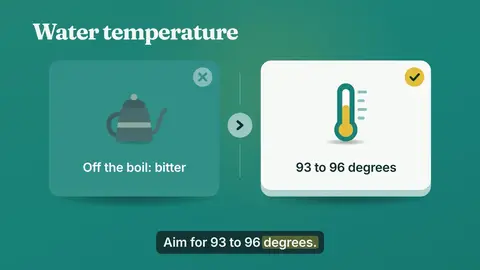
/studio-explainer60 to 90 second explainers with voiceover and captions.
/studio-brollGraphics over your talking-head video, timed to your words. Transparent clips included./studio-brandSaves your logo, colours, fonts and tone. Cuts the white box out of a logo./studio-templatesA gallery of 20 templates and 12 styles, with the exact words to type./studio-critiqueScores any film on 7 things and fixes the weakest./studio-setupInstalls everything in a few minutes. No admin password.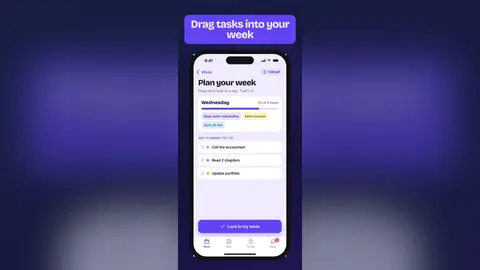
/studio-appstorePROApp Store and Google Play previews from your own screen recordings, at every required size.
/studio-blogPROTurns a blog post into a 45 to 60 second narrated vertical video.Launch, feature spotlight, before and after, stat reveal, myth vs fact, countdown, sale and 13 more.
Ask for any look by 1 word. Always in your colours.
Music built from 76 real recorded samples, cleared for commercial use. Or drop in your own track and it cuts every shot to the beat.
No API key, no monthly fee, no watermark. It runs on your Mac with your Claude plan.
Built for people who ship.
Indie app makers
A launch film for Product Hunt, an App Store preview and a reel for every update. Made the day you ship, not the week after. App Store previews come with Studio Pro.
/studio-launch · /studio-appstore (Pro)
Creators
Reels, Shorts and b-roll in your own brand, with music that hits on the beat and captions you can read on a phone.
/studio-reel · /studio-broll
Small studios
Client videos in each client's brand, at the speed of a prompt. Studio Pro includes the client license.
Studio Pro · client work
Guide: launch video for your appGuide: explainer videos with Claude CodeGuide: a reel for your app
Why pay $79 when free repos exist?
Fair question. Some free options are very good. Here is what each gives you, checked against its README on 22 Oct 2026.
Time per video, minutes
Film styles
See all 10 rows side by side
| Useful Studio | lemo-opuscar | Awesome Opus video repos | |
|---|---|---|---|
| Price | $79 one time, 20 licences left at this price, then $99. | Free. MIT license. | Free. |
| What you get | 8 commands for short branded videos, 20 templates and 12 styles. | A Claude Code skill with 59 film styles. Each has a style prompt and a demo film. You bring the story. | Prompts people shared. awesome-opus5-5-videos lists 703. awesome-claude-5-5-videos tracks 424 source posts. |
| GitHub stars | New. Launched 12 Oct 2026. | About 4,400. | About 8,600 and about 680. |
| Your brand | Saved once with /studio-brand. Every video uses it. | Turn a style into your own with your colours, logo and fonts in a 5 step session. Added 22 Oct 2026. | You edit each prompt yourself. |
| Output | MP4 in 16:9 and 9:16 from one run. | MP4. 1920x1080 at 24 fps by default. Other sizes on request. | A prompt gives you animation code (HTML, Canvas, SVG, Three.js). Turning it into an MP4 is on you. |
| Time per video | 10 to 40 minutes. | About 30 to 60 minutes. | Depends on the prompt. |
| Quality check | Scores 7 things and fixes the weakest until all are 8 or more. | Checks and fixes the demo film once when you make your own style. | A prompt has no checker. |
| Setup | About 5 minutes. /studio-setup installs everything. | Needs Node 20+, ffmpeg and Python 3.11+. The agent installs the rest. | Copy a prompt into Claude. |
| Length | 15 to 90 seconds. | Examples run 18 to 50 seconds. The showcase runs 6:31. | Varies. |
| Help | Email support. 12 months of updates. | GitHub issues. Free updates. | Links to each creator's post. |
Where free options win, and where Useful Studio wins
Where the free options win
- lemo-opuscar has 59 styles to my 12, and it costs $0. For cinematic, art-directed shorts, start there.
- The prompt repos show what Opus 5.5 can do. They are free and worth reading.
- If you enjoy tinkering and have an afternoon per video, a free repo gets you a good one.
Where Useful Studio wins
- The same brand on every video, with no setup session per style.
- 16:9 and 9:16 files with captions and a voiceover from one run.
- A critic that refuses to render text that moves while you read it.
- Pro only: App Store previews at every required size, and blog posts into narrated videos.
- Someone to email when setup breaks.
Make 1 video and like tinkering? Use lemo-opuscar. Make a video every month and want them to look like one company made them? Buy Studio. The price rises to $99 after the next 20 licences.
Studio vs lemo-opuscarvs Remotionvs HyperFramesvs Claude Motion
Sources: lemo-opuscar · awesome-opus5-5-videos · awesome-claude-5-5-videos. Star counts are rounded. Last updated 22 Oct 2026.
Pay once and keep every video forever.
1 license key works on up to 3 of your Macs. 12 months of updates included. After that your version keeps working.
- Making videos for your own app or channel? Useful Studio, $79.
- Need App Store previews or client work? Studio Pro, $349.
- No Claude Code? The Template Pack, $49.
- Not sure yet? The 3 free templates, $0.
Made by Raja, who runs The Useful Tech, the #1 Apple blog on Medium with 78,000 followers.
Useful Studio
What's included
- 8 commands: launch films, reels, explainers, b-roll and more, 15 to 90 seconds each
- 20 templates and 12 styles
- 5 music moods, or your own track cut to the beat
- Voiceover that runs on your Mac
- Unlimited videos for you and your own business
- 3 Macs, 12 months of updates
20 licences left at $79, then $99. Runs on your own Claude plan, no subscription. All sales are final.
Useful Studio Pro
What's included
- Everything in Useful Studio
- /studio-appstore: App Store and Google Play previews
- /studio-blog: blog posts into narrated videos
- Client license: make videos for paying clients
- Private Discord with other Pro owners
- New Pro commands during your 12 months of updates
All sales are final.
Template Pack
What's included
- 10 animated templates that play in any browser
- No Claude Code needed
- A settings panel for your name, colours, fonts and words
- 3 looks and 3 sizes each
- Export an MP4 in Chrome, or record it with QuickTime
- For your own and client videos
All sales are final.
Not ready yet? Get 3 of the templates free: a countdown teaser, a quote card and a stat reveal. Use them for anything, including client work.
Get 3 free templatesWhat you need, and what people ask.
From purchase to first video
About 5 minutes of setup, then 10 to 40 minutes while you do something else.
The 4 setup steps
Buy on Gumroad
You get your license key and the install guide. 1 key works on up to 3 of your Macs.
Run
/studio-setupType it in Claude Code. It installs everything. No admin password.
Run
/studio-brandSave your logo, colours, fonts and tone once.
Run
/studio-launchAnswer a few plain questions. Your MP4s land in your Movies folder.
What you need to run it
- Computer
- A Mac with macOS 14 or later. Apple silicon or Intel.
- Claude
- Claude Code with a paid Claude plan: Pro, Max, Team or Enterprise.
- Space
- About 1 GB for the tools, plus room for your videos.
- Skills
- None. The install guide tells you exactly what to type.
Do I need to know how to code or edit video?
No. You type a command like /studio-launch and answer a few questions in plain words. Setup takes about 5 minutes and the guide shows every step.
Does it cost anything per video?
No. There is no API key, no subscription and no watermark. Making a video uses some of your Claude plan's usage, like any other Claude Code task.
Why pay $79 when free repos exist?
lemo-opuscar is free and has 59 film styles. Useful Studio has 12 styles and 20 templates, a brand you save once, 16:9 and 9:16 files from one run, a critic that scores every film, and email support. If you make 1 video and like tinkering, use the free repo. If you make videos every month, Studio saves the time.
8 more questions
Can I try it before I pay?
Watch the 11 videos in the gallery. Each one was made by a real command run. Then get the 3 free templates, which you can use for anything, including client work.
What does Useful Studio not do?
It makes short videos only: 15 to 90 seconds. It does not generate AI images or footage of people. It runs on a Mac only. It does not include custom work for buyers.
How long does a video take?
Most commands finish in 10 to 40 minutes, start to end, on their own. The final render takes about 3 minutes per size on an Apple silicon Mac. An older Intel Mac is slower, and it still finishes.
Can I use my own music?
Yes, and it gives the best result. Drop in an MP3, M4A or WAV you have the rights to. Useful Studio finds the beat and lands your big reveal on the drop. No track? It builds one from 76 recorded samples cleared for commercial use.
Can I make videos for clients?
With Useful Studio Pro, yes. Your clients get the videos and can use them for anything. Useful Studio is licensed for your own videos and your own business.
Is it made by Anthropic?
No. Useful Studio is an independent product by The Useful Media Co. It is a plugin for Claude Code and is not made or endorsed by Anthropic.
What gets sent from my Mac?
Only your license key, once, to Gumroad to check it. Nothing about you, your Mac or your videos is sent anywhere.
What happens after 12 months?
Your version keeps working forever. You can renew to get newer versions.
Your next launch deserves more than a screenshot.
20 licences left at $79, then $99. Runs on your own Claude plan, no subscription. All sales are final.